
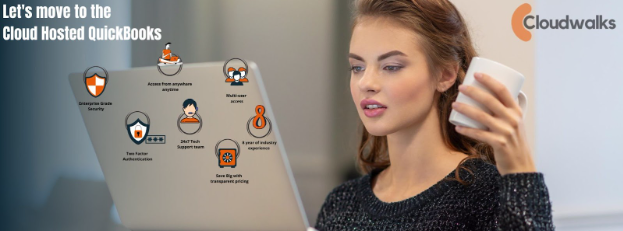
In today’s digital-first business environment, organizations are constantly evaluating whether their current systems can keep up with evolving operational demands. Traditional desktop accounting setups—once considered reliable—now face limitations that hinder speed, accessibility, and scalability. This is especially true for companies using resource-heavy accounting systems like QuickBooks Enterprise.
As a result, many businesses are transitioning from local installations to QuickBooks Enterprise hosting, a cloud-based solution that offers better flexibility, security, and performance. The shift is not just a trend; it is a strategic move fueled by the need for remote access, collaboration, cost savings, and operational efficiency.
This article explores the key differences between cloud and local environments and explains why QuickBooks Hosting Services are rapidly becoming the future of business accounting.
1. Accessibility: Cloud Offers Mobility, Local Systems Restrict It
One of the most significant differences between a local setup and QuickBooks Enterprise hosting is accessibility.
Local Setup
A traditional QuickBooks Enterprise installation binds users to:
- In-office desktops
- A designated internal network
- Physical presence for file updates and collaboration
If an employee needs access outside the office—during travel, after hours, or while working remotely—it requires VPNs or remote desktop tools. These solutions often create delays, connection issues, and security risks.
Cloud Hosting
With cloud-based QuickBooks Enterprise, accessibility becomes effortless.
Users can log in:
- From any location
- At any time
- Using any internet-enabled device
This flexibility is especially valuable for remote teams, multi-location companies, field workers, and accountants who often work outside standard business hours.
2. Cost Efficiency: Hosting Reduces Expenses, Local Systems Increase Them
Maintaining a local QuickBooks Enterprise setup is often more expensive than businesses expect.
Local Setup Costs Include:
- Servers and hardware
- IT staff or outsourced maintenance
- Regular upgrades
- Network equipment
- Backup systems
- Expensive security solutions
Every few years, major hardware updates are needed—even if the business isn’t growing.
Cloud Hosting Costs Are Predictable and Lower
With QuickBooks Hosting Services, companies pay a monthly or annual fee that includes:
- Server resources
- Maintenance
- Backup services
- Security tools
- Support
There are no hardware investments or hidden IT expenses. This predictable billing model allows businesses to scale without financial strain, making cloud hosting the clear winner from a budget perspective.
3. Collaboration: Hosting Enables Real-Time Teamwork
Local installations are notorious for causing version conflicts and file-sharing challenges. Only users on the same local network can typically work together, and even then, performance may lag during multi-user sessions.
Common Local Issues Include:
- Slow multi-user mode
- Locked company files
- Multiple file versions
- Data corruption when transferring files
- Limited simultaneous access
Cloud Hosting Transforms Collaboration
With QuickBooks Enterprise hosting, multiple team members—and even external accountants—can log in simultaneously to work on the same company file in real time.
Cloud hosting ensures:
- Faster multi-user performance
- Centralized data access
- Efficient role-based permissions
- Seamless collaboration across geographies
This makes cloud hosting ideal for businesses with distributed teams, accountants serving multiple clients, or companies expanding into new markets.
4. Performance & Speed: Cloud Servers Are Built for Enterprise Workloads
QuickBooks Enterprise is powerful, but it requires strong computing resources to run efficiently. Local systems often fall short, especially when dealing with large company files or heavy reporting.
Local Performance Limitations
- Slow processing on outdated desktops
- Lag when switching between modules
- Frequent crashes
- Limited storage capacity
- Bottlenecks during peak usage
Upgrading systems to keep QuickBooks running well can be costly and time-consuming.
Cloud Hosting Enhances Performance
QuickBooks Hosting Services use high-performance servers with:
- SSD storage
- Load balancing
- High RAM capacity
- Optimized QuickBooks environments
This ensures faster report generation, smoother navigation, and stable performance even with large company files.
For businesses growing rapidly or managing complex accounting workflows, cloud performance is far superior.
5. Security: Cloud Environments Offer Enterprise-Level Protection
Financial data is one of the most sensitive assets a business manages.
Local Security Challenges Include:
- Outdated antivirus software
- Vulnerable networks
- Physically stored backups
- Ransomware risks
- Human error
- Limited IT oversight
One lapse can lead to data breaches or compliance issues.
Cloud Hosting Offers Multi-Layered Protection
QuickBooks Enterprise hosting providers offer robust security features, such as:
- 256-bit encryption
- Multi-factor authentication
- Intrusion detection systems
- Secure data centers
- Automated patching
- Continuous monitoring
- Daily or hourly backups
This level of protection is costly to implement in a local environment but comes standard with hosting.
6. Scalability: Cloud Hosting Grows With Your Business
Local systems are inflexible. If a business grows and needs more resources or additional users, it must invest in hardware upgrades and new licenses—often causing downtime.
Local Limitations Include:
- Fixed storage
- Limited user capacity
- Performance degradation
- Need for expensive upgrades
Cloud Hosting Is Fully Scalable
With QuickBooks Hosting Services, businesses can:
- Add or remove users based on need
- Increase storage instantly
- Boost server performance during busy periods
- Scale down to reduce costs after peak seasons
This flexibility supports growth without requiring physical infrastructure changes.
7. Disaster Recovery: Cloud Hosting Protects Data Automatically
Local systems are vulnerable to:
- Hardware failures
- Natural disasters
- Power outages
- Data corruption
- Theft or physical damage
Rebuilding lost data can be expensive—or impossible.
Cloud Hosting Includes Complete Disaster Recovery
QuickBooks Enterprise hosting providers offer:
- Redundant data centers
- Automated backups
- Offsite storage
- Quick restoration processes
If something goes wrong, businesses can restore their data in minutes, not days.
8. Software Updates: Cloud Makes Maintenance Effortless
Local QuickBooks installations require manual updates. These updates may disrupt workflows or cause compatibility issues across different devices.
Local Update Challenges
- Manual installation required
- Downtime during upgrade
- Incompatibilities with other software
- Risk of failed updates
Cloud Hosting Automates the Process
Hosting providers ensure QuickBooks is always running its latest, most stable version. Users enjoy:
- Seamless automatic updates
- Fully tested patches
- No manual intervention
This reduces technical headaches and keeps the system running at full efficiency.
9. Remote Work Trends Make Cloud Hosting Essential
The rise of hybrid and remote work models has redefined business operations. Companies relying on local systems struggle to support geographically dispersed teams.
QuickBooks Enterprise hosting aligns perfectly with modern work environments by giving teams secure, instant access regardless of location.
As businesses move toward digital transformation, cloud hosting will continue to dominate.
10. The Future Is Cloud-Driven—And QuickBooks Hosting Leads the Way
As companies increasingly adopt cloud solutions for CRM, payroll, inventory, and HR systems, local accounting setups feel outdated and inefficient. Cloud-based QuickBooks Hosting Services offer the agility, mobility, and power that today’s business landscape demands.
The future belongs to businesses that:
- Operate efficiently from anywhere
- Manage data securely
- Scale without restriction
- Prioritize collaboration
- Leverage modern cloud technologies
QuickBooks Enterprise hosting supports all these goals, making it the natural evolution for businesses investing in their long-term growth.
Conclusion: Why Cloud Wins the Cloud vs Local Battle
When evaluating cloud vs local setups for QuickBooks Enterprise, the advantages of hosting are clear. Cloud hosting delivers unmatched benefits in performance, access, cost savings, security, scalability, and reliability.
In summary, QuickBooks Enterprise hosting is the future because it:
- Enables remote access from any device
- Eliminates expensive hardware and IT maintenance
- Enhances collaboration across teams
- Provides faster performance for large workloads
- Offers enterprise-grade security
- Scales effortlessly with business growth
- Ensures reliable backups and disaster recovery
- Supports modern remote work environments
Local setups simply cannot compete with the power and convenience of QuickBooks Hosting Services.
As more organizations embrace cloud technology, businesses that upgrade to hosted QuickBooks Enterprise will have a clear advantage—operating with greater speed, flexibility, and efficiency.